
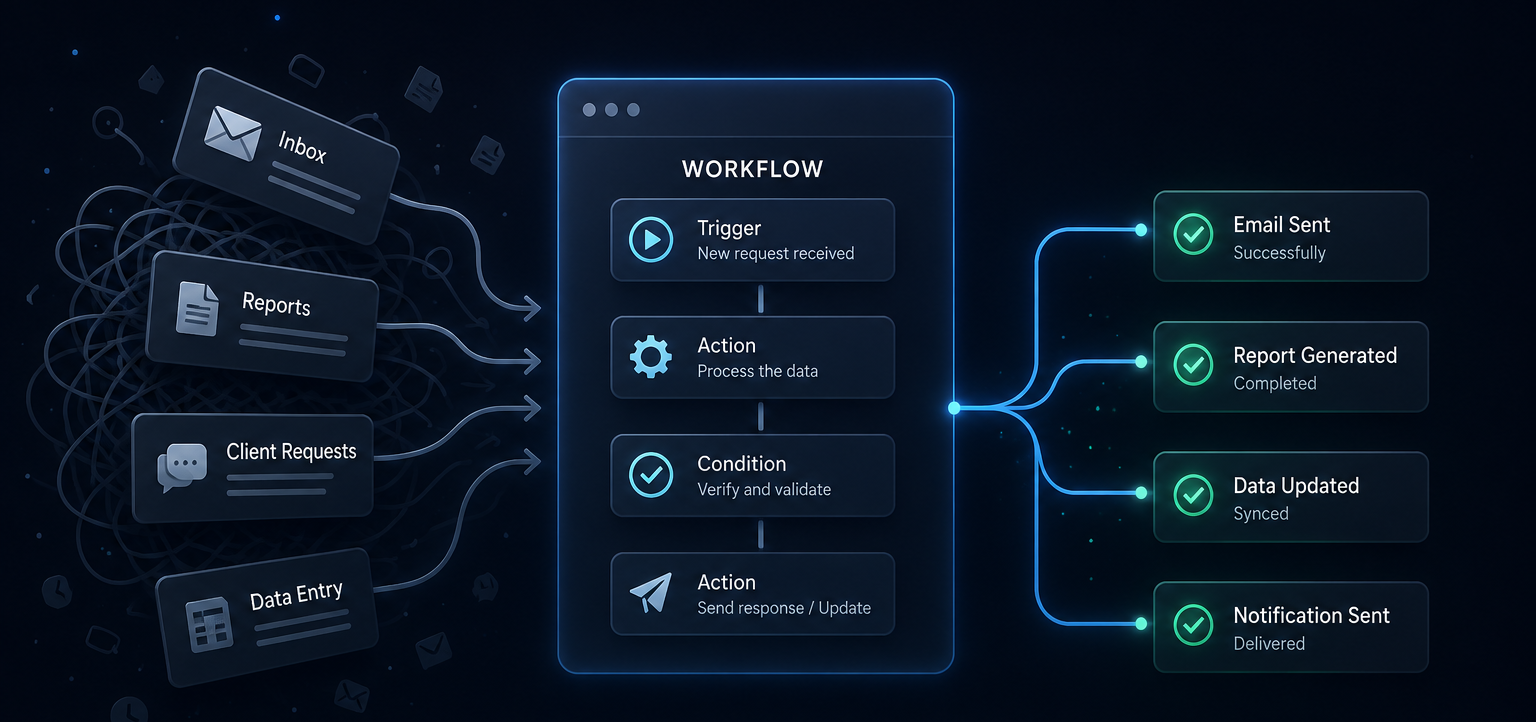
Useful automation begins by mapping the repeatable work, not by forcing a tool into the process.
Many businesses invest in automation expecting immediate efficiency. They purchase new software, connect multiple applications, and create complex workflows. Yet months later, employees return to spreadsheets, manual updates, and endless email threads.
The reason is simple: automation cannot fix a broken workflow.
Technology only accelerates the process that already exists. If that process is confusing, inconsistent, or dependent on individual knowledge, automation simply makes those problems happen faster.
The best automation projects begin by understanding how work actually moves through a business.
Why Most Automation Projects Fail
Companies often start by asking:
“Which automation platform should we buy?”
The better question is:
“What work are we repeating every day?”
Automation should eliminate repetitive decisions, manual copying, unnecessary approvals, and disconnected systems—not introduce additional complexity.
Common signs your workflow needs redesign before automation include:
- Teams entering the same information multiple times.
- Files constantly being shared through email.
- Staff manually updating spreadsheets.
- Customers waiting for internal approvals.
- Important tasks depending on one specific employee.
- Different departments using different versions of the same data.
When these issues exist, changing software alone rarely solves the problem.
Map the Process Before Choosing the Tool
Before writing a single automation rule, document how work currently flows.
Ask questions like:
- Where does a request begin?
- Who receives it first?
- What information is required?
- Which decisions are repeated?
- What causes delays?
- What can happen automatically?
- Which approvals actually require a human?
This simple exercise often reveals that many “necessary” steps exist only because they have always been there.
Removing unnecessary work usually creates more value than automating unnecessary work.
The Best Automation Is Often Invisible
Successful automation rarely feels complicated.
Instead of replacing employees, it removes repetitive tasks so people can focus on decisions that actually require experience and creativity.
Examples include:
- Customer enquiries automatically routed to the right department.
- Sales leads instantly assigned based on region or industry.
- Quotes generated from predefined templates.
- Project tasks created automatically after client approval.
- Invoices generated when milestones are completed.
- Reports delivered every Monday without anyone remembering to send them.
Employees simply notice that work becomes smoother.
Think in Systems, Not Individual Tasks
Businesses often automate isolated activities such as sending emails, creating invoices, or updating spreadsheets. While these improvements help, the greatest value comes from connecting the entire business system.
Imagine a customer submitting a contact form. Instead of creating only an email notification, a complete workflow might:
- Validate the submitted information.
- Create a lead inside the CRM.
- Assign the salesperson automatically.
- Notify the internal team.
- Schedule a follow-up reminder.
- Generate the proposal template.
- Update management dashboards.
- Trigger onboarding after approval.
No one needs to manually move information between systems. The workflow becomes the system.
Start Small, Then Expand
One of the biggest mistakes businesses make is attempting to automate everything at once. Large automation projects become difficult to maintain because every department has different requirements.
Instead:
- Solve one workflow.
- Measure the improvement.
- Gather feedback.
- Refine the process.
- Expand to the next workflow.
Small wins build confidence while creating automation that employees actually trust.
Automation Is a Business Strategy
Automation should never exist for its own sake. Its purpose is to improve speed, consistency, customer experience, and operational efficiency.
The technology matters—but only after the workflow is understood.
Businesses that achieve the greatest long-term value do not have the most automation. They have the clearest systems.
Questions to Ask Before Automating
Before implementing any automation, ask:
- Is this task repeated frequently?
- Does it follow clear business rules?
- Is someone manually copying information?
- Can data move automatically between systems?
- Does this process create delays for customers or employees?
- Will automation reduce errors while improving consistency?
If the answer is “yes” to several of these questions, the workflow is likely a strong candidate for automation.
Final Thoughts
Automation is not about replacing people with software. It is about designing processes that remove repetitive work, eliminate bottlenecks, and allow teams to focus on higher-value activities.
When you begin with the workflow instead of the tool, automation becomes easier to maintain, easier to scale, and far more valuable over time.
The companies that benefit most from automation are not necessarily using the most advanced technology—they are simply building better systems.